
Why smart agent keys matter in 2026
The way AI agents access your digital tools is changing. In 2026, relying on static passwords or broad API tokens is no longer safe. Broad access gives an agent the entire house key when it only needs the mailbox. If that token is leaked, an attacker gains full control over your connected services.
Smart agent keys solve this by providing dynamic, scoped access. Instead of one permanent password, each key is valid only for a specific task and a limited time. This limits the damage if a key is compromised, as the attacker can only perform the exact action the key was issued for.
This shift is becoming standard as AI agents take on more autonomous roles. According to industry trends, 2026 marks a move toward safer governance where agents operate with minimal necessary privileges Salesmate. Setting up these keys properly is the first step in securing your AI workflow.
Choose the right key type for your agent
Selecting the correct smart agent key 2026 architecture depends on how much autonomy your AI needs and how you plan to fund its operations. Standard Externally Owned Accounts (EOAs) offer familiar control but require manual top-ups and expose private keys to higher risk during signing sessions. Account Abstraction (AA) introduces sponsored transactions, allowing your AI to operate without holding ETH for gas fees.
EIP-7702 is emerging as the standard for 2026 agent integration because it bridges this gap. It allows EOAs to temporarily delegate execution to smart contract code without moving funds to a complex wallet structure. This means your agent can execute complex, multi-step workflows while you retain the ability to revoke access instantly.
The table below compares the three primary approaches currently in use. Understanding these differences helps you avoid over-engineering simple tasks or under-securing critical operations.
| Key Type | Gas & Cost | Security Scope | Ease of Setup |
|---|---|---|---|
| Standard EOA | User pays gas; manual funding required | High risk; private key exposed during signing | Easy; native wallet support |
| EIP-7702 | Low; sponsored transactions possible | High; delegated access with instant revocation | Moderate; requires EIP-7702 support |
| Session Keys | Variable; often sponsored | Medium; limited to specific contract interactions | Complex; requires custom logic |
For most 2026 use cases, EIP-7702 provides the best balance of flexibility and security. It allows your agent to act autonomously while keeping the underlying account structure simple and compatible with existing wallets. This approach reduces the friction of onboarding while maintaining the security controls necessary for financial interactions.
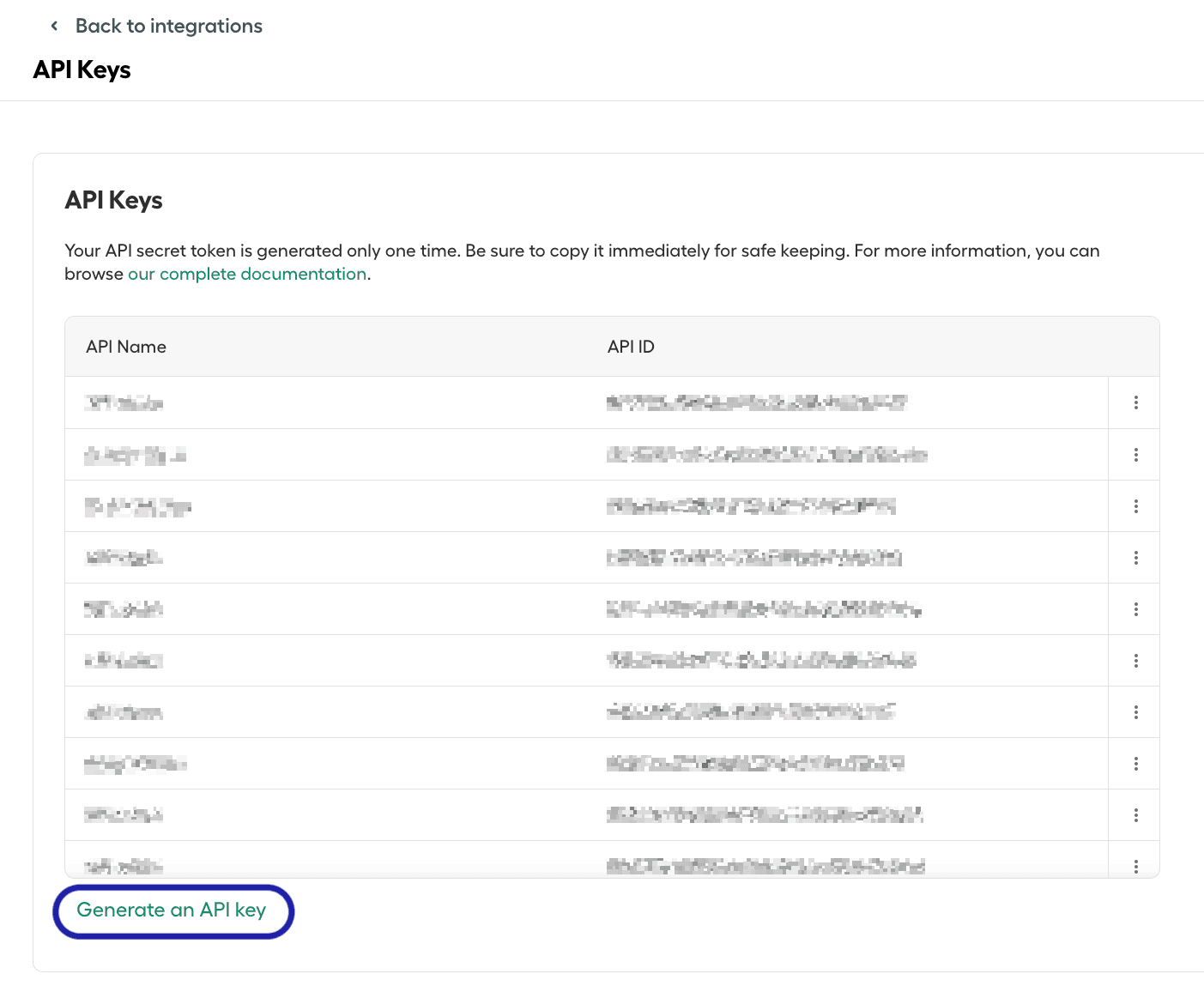
Generate scoped keys for specific tasks
To set up smart agent keys 2026 effectively, you must move beyond all-or-nothing access. A single key that grants full control over your wallet is a liability. Instead, generate scoped keys that restrict an agent to specific, safe actions. This limits the blast radius if a key is compromised or if an agent misbehaves.
The process involves defining a permission set, initializing a wallet provider, and signing a transaction that registers the new key with the specific constraints you defined.
Before generating the key, determine exactly what the agent needs to do. For a DeFi agent, this might mean allowing it to swap ERC-20 tokens but preventing it from transferring NFTs or accessing sensitive ERC-721 contracts. Write down these boundaries clearly. This scope will become the configuration object in your code.
Use a modern wallet SDK like RainbowKit or Privy to connect to your blockchain network. These providers handle the complex cryptographic signing and session management. Ensure your environment variables are set with your wallet credentials or connection strings so the SDK can authenticate your identity before creating new keys.
Pass your defined permissions into the key generation function. The configuration should include the target contract addresses (e.g., the Uniswap router) and the allowed function signatures (e.g., swapExactETHForTokens). By binding the key to specific contracts, you ensure the agent cannot interact with malicious or unrelated smart contracts.
Execute the generation command. Your wallet provider will prompt you to sign a transaction that registers the new key on-chain. This transaction creates a mapping in your wallet’s access control system. Once confirmed, the new scoped key is active and ready to be assigned to your AI agent for task execution.
By following this sequence, you create a secure, limited-access identity for your AI agent. This approach ensures that even if the agent is compromised, the damage is contained to the specific, pre-approved actions you authorized.
Test the agent key in a sandbox
Before you hand your smart agent keys 2026 access to your mainnet wallets, you need to verify their permissions in a controlled environment. Think of this as a dress rehearsal; you want to catch any permission errors before the curtain rises on live funds.
Deploy the key to a testnet first. Run a few standard transactions, such as transferring a small amount of test tokens or signing a message. If the agent fails to execute these basic tasks, it will likely fail or behave unpredictably in production. This step confirms that the key is active and that the smart contract interfaces are correctly configured.
Next, verify the permission limits. Ensure the key can only perform the actions you explicitly allowed. For example, if the agent is only supposed to read data, it should not be able to approve token transfers. A sandbox test reveals whether the key has been granted overly broad access, which is a common source of security breaches.
Once the sandbox tests pass, you can proceed to mainnet with confidence. This simple check prevents accidental loss of funds and ensures your smart agent operates exactly as designed.
Review common key setup mistakes
Setting up smart agent keys in 2026 is straightforward, but small configuration errors can lead to significant security gaps. Before you deploy your AI assistants, check your settings against these common pitfalls.
Granting unlimited permissions
The most dangerous mistake is creating a key with broad, unrestricted access. Never grant 'Unlimited Approval' to an AI agent key, as this allows the agent to perform any action without safeguards.
Ignoring expiration times
Many users create permanent keys and forget to set expiration dates. A key that never expires remains a valid entry point even if the agent is decommissioned or compromised. Always set a reasonable expiration time that matches the agent's lifecycle.
Hardcoding keys in code
Avoid storing API keys directly in your source code or configuration files. If your repository is public or shared, these keys are exposed to anyone with access. Use environment variables or secret management tools to keep your credentials secure.
Software Tools for Managing Smart Agent Keys 2026
Managing smart agent keys 2026 requires more than just generating credentials; you need platforms that handle the full lifecycle. The right software tools reduce the risk of key leakage by automating rotation, enforcing least-privilege access, and providing real-time monitoring.
OpenClaw for Rapid Setup
OpenClaw is the go-to platform if you want a working agent right now. It simplifies the initial configuration by allowing you to plug in your API key and connect services immediately. This approach is ideal for developers who need to validate smart agent keys 2026 in a sandboxed environment before moving to production.
Hardware Wallets for Key Storage
For maximum security, consider hardware wallets designed for cryptographic keys. These devices keep your private keys offline, ensuring that even if your development machine is compromised, your agent credentials remain safe. Look for kits that support standard key formats used by modern AI frameworks.

As an Amazon Associate, we may earn from qualifying purchases.
Final checklist for secure deployment
Before going live with your smart agent keys 2026, run through this concise pre-deployment audit. This sequence ensures that your AI access controls are locked down and your operational risks are minimized.
- Verify key permissions: Confirm each key has the minimum necessary scope. Avoid admin-level access unless absolutely required for the specific agent task.
- Rotate legacy keys: Deactivate any old or unused API keys. Leaving dormant keys active creates unnecessary entry points for potential breaches.
- Test in a sandbox: Run your agent in an isolated environment first. Validate that it behaves as expected without touching production data or live customer records.
- Document access logs: Ensure your monitoring tools are capturing all key usage. You need visibility into who is accessing the agent and when.
- Set expiration dates: Assign a rotation schedule for all keys. Regularly expiring and replacing keys limits the damage if a credential is ever compromised.
Completing these steps before launch keeps your smart agent infrastructure secure and compliant.
Frequently asked questions about smart agent keys 2026
What is the best smart agent in 2026? The "best" smart agent depends on your specific workflow. For real estate professionals, platforms like SmartAgent streamline onboarding and compliance. In the developer space, tools like OpenClaw offer a quick setup for connecting API keys to services. Choose the agent that matches your primary automation goal.
How do smart agent keys improve security? Smart agent keys replace static passwords with dynamic, scoped access tokens. This limits the damage if a key is compromised, as the token can be revoked instantly. It ensures that only authorized AI agents can interact with your sensitive data or infrastructure.
What does a smart agent actually do? A smart agent automates repetitive tasks, such as analyzing sentiment in customer interactions or managing policy data. By using real-time keyword tracking and predefined rules, these agents handle routine operations, allowing human agents to focus on high-value connections and complex problem-solving.
How do I install a smart agent?
Installation typically involves downloading the agent binary, such as the smartagentctl tool, and configuring your access credentials. You will need to input your unique service URL and access key to authenticate the agent with the central management platform. Follow the official documentation for your specific provider to ensure a secure connection.
No comments yet. Be the first to share your thoughts!